Your storefront
Pages, menus and banners
Write your About, FAQ and policy pages, choose the links in your header and footer, and manage the slides at the top of your home page.
In the consoleGrow → Pages, Navigation and Banners
Pages
Pages are for the things shoppers look for before they buy: About us, FAQs, delivery and returns. Each page has a title, a web address and its text.
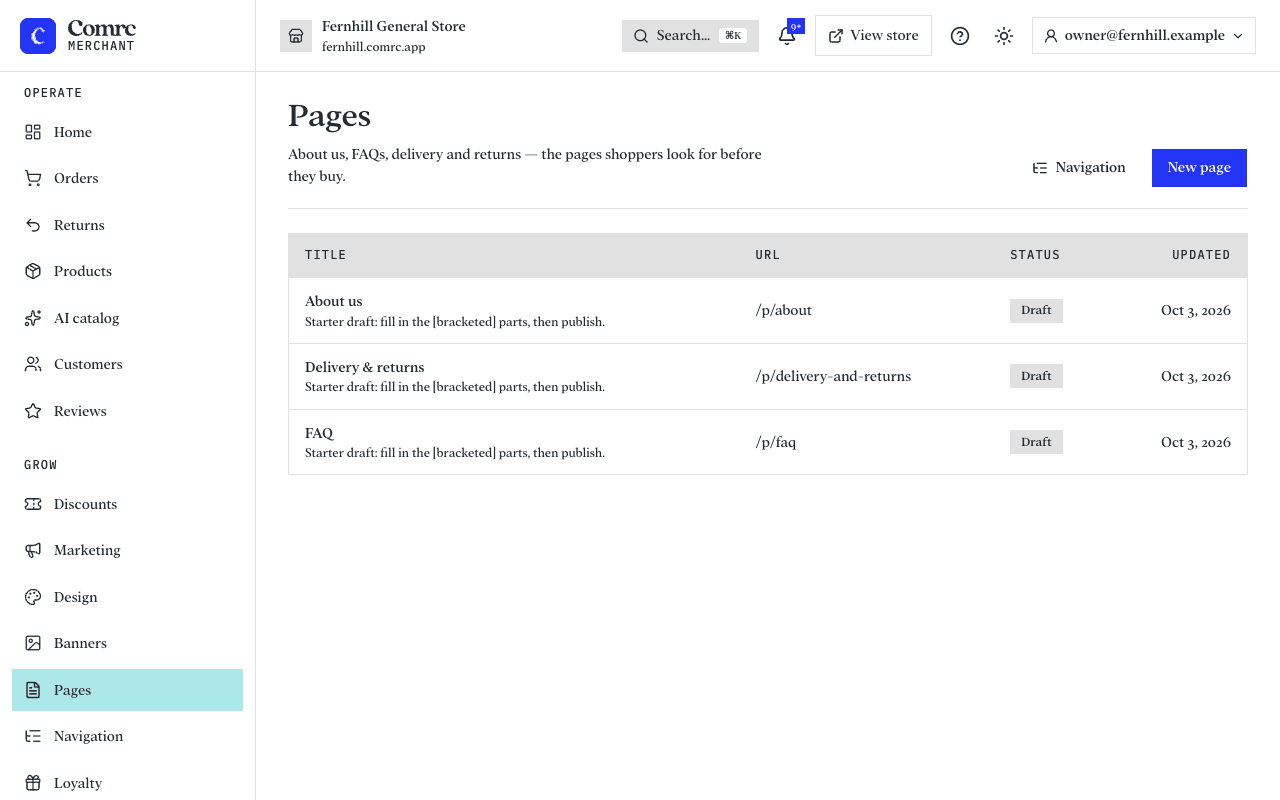
- New pages can start from a starter draft with [bracketed] parts to fill in. Replace every bracket with your own details before you publish.
- Simple formatting is supported: headings, bold, italic, bullet and numbered lists, and links. The editor shows a preview.
- A page is hidden from shoppers until you publish it. Published pages are listed in your footer unless you've chosen your own footer links.
Your store also has Terms, Privacy, Returns and Contact pages built in. They use the business details and returns settings you've entered, so they stay right when those change.
Navigation
Navigation sets the links in your store's header and footer.
- The main menu defaults to your top-level categories, in order.
- The footer defaults to your published pages.
- To choose your own, add links to categories, pages, or any web address, and move them up and down into order. You can go back to the default at any time.
Banners
Banners are the slides in the hero at the top of your home page. Each is an image with an optional caption and link. You can hide a banner, move it up or down, and give it start and end dates so a promotion appears and disappears by itself. Banners show when your home page's hero section is set to use the banner slider.