Food and drink
Choosing how you serve
Switch on eat-in, collection and delivery, set your hours and time slots, and pause orders when the kitchen is slammed.
In the consoleFood & drink → Service
Service is where a restaurant, café or takeaway decides how customers can order and when.
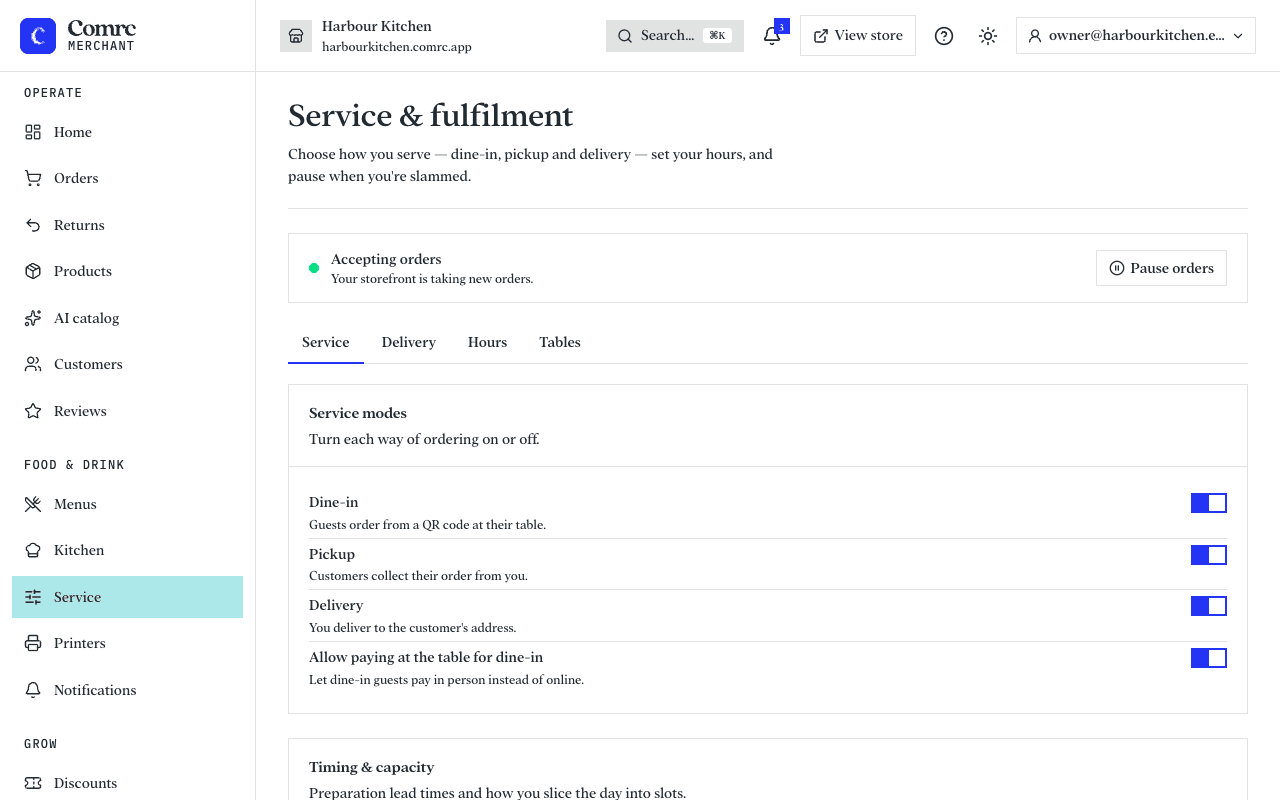
Ways to order
- Eat in — guests scan a QR code at their table and order from their phone. You can let them pay in person instead of online.
- Collection — customers order ahead and collect from you.
- Delivery — you deliver to the customer's address.
Switch on the ones you offer. Customers only see those.
Tables and QR codes
Add each table and print its QR code. A guest who scans it lands on your menu with their table already chosen, so the kitchen knows where the order goes.
Timing
- Preparation time — how long an order takes before it is ready.
- Time slots — how you slice the day, so customers can order for later.
- Capacity — the most orders you'll take per slot. Leave it blank for no limit.
Where you deliver
Choose one: deliver within a set distance of your premises, or deliver only to postcodes you list, each zone with its own fee and minimum order. Set the base delivery fee and the smallest order you'll deliver.
Opening hours and closures
Set the hours you take orders for each day. Add a second row for a split shift; a closing time earlier than the opening time runs past midnight. For bank holidays and days off, add a closure or special hours for those dates — they replace your weekly hours on those dates only.
When the kitchen can't keep up, press Pause orders: for 30 minutes, for an hour, or until you resume. Customers see that you're not taking orders right now.
Tips and service charge
- Tips — show suggested amounts at checkout, with a clear no-tip option.
- Optional service charge — shown with a Remove button. It is a voluntary payment, so no VAT is charged on it.
- Mandatory service charge — always added and can't be removed. It is part of the price, so VAT is charged on it.