Food and drink
Using the kitchen display
See incoming orders as they're paid, accept or reject them, and mark them ready.
In the consoleFood & drink → Kitchen
The kitchen display shows your food orders on a screen in the kitchen, so your team can work through them as they come in.
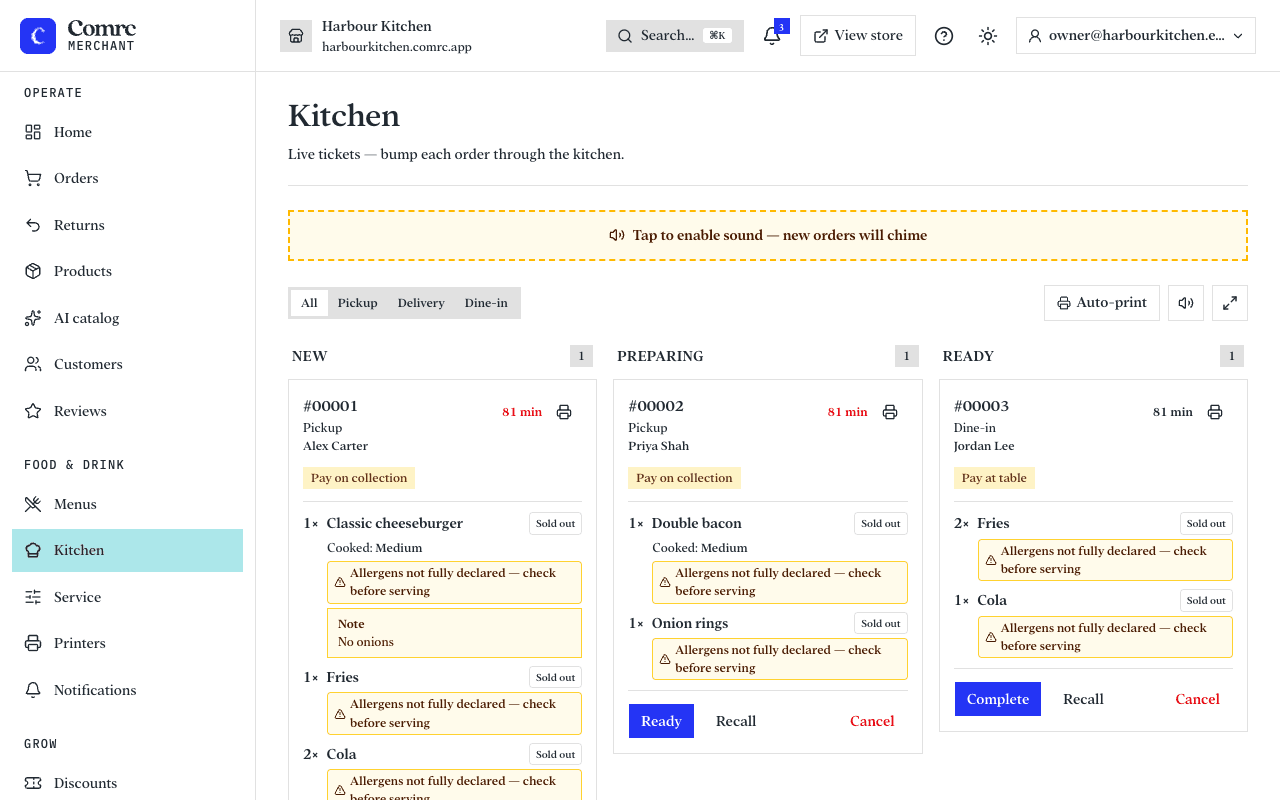
When orders appear
An order appears on the kitchen display once it's paid — so a card order shows up after Stripe has confirmed the payment. When a new order arrives, the display alerts you.
Working an order
- Accept the order to start preparing it — or reject it if you can't make it, for example if an item has sold out.
- When the food is ready, mark the order as ready.
Tips
- Keep the display open on a dedicated screen or tablet in the kitchen, and make sure its sound is on so you hear alerts.
- Reject orders promptly if you can't fulfil them, so the customer isn't left waiting.