Orders and delivery
Sending a rider with Stuart or Uber Direct
Book an on-demand courier to take an order from your door to the customer's, or have one booked automatically.
In the consoleAccount → Couriers
If you deliver locally and don't have your own driver, connect Stuart or Uber Direct. Both send a bike, scooter or van to collect from you and deliver to the customer, in most UK cities.
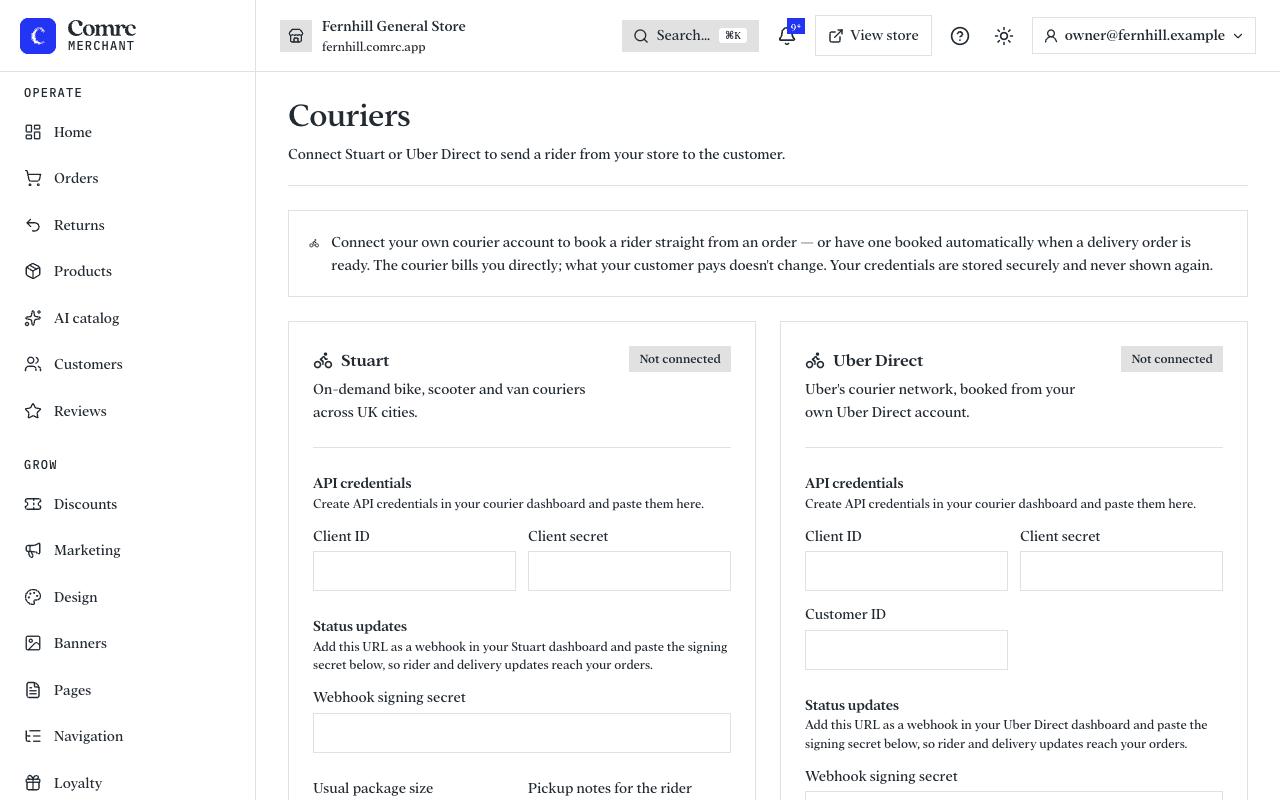
Connect a courier
- Create API credentials in your Stuart or Uber Direct dashboard and paste them into Couriers.
- Copy the webhook address shown in the console into the courier's dashboard, and paste the signing secret it gives you back into the console. This is how rider and delivery updates reach your orders.
- Choose the usual parcel size.
- Test the connection.
Book a rider
Open a delivery order and ask for prices. You see what each connected courier would charge; choose one to book it. The order shows the rider's progress.
To skip that step, switch on automatic booking: when a delivery order is marked ready, the cheapest courier is booked for you.