Food and drink
Food menus and allergens
Build your menu with categories, items, modifiers and combos, and declare the 14 UK allergens for every dish.
In the consoleFood & drink → Menus
If you run a restaurant, café or takeaway, your store is built around a menu rather than a product catalogue. You manage it from Menus in the console.
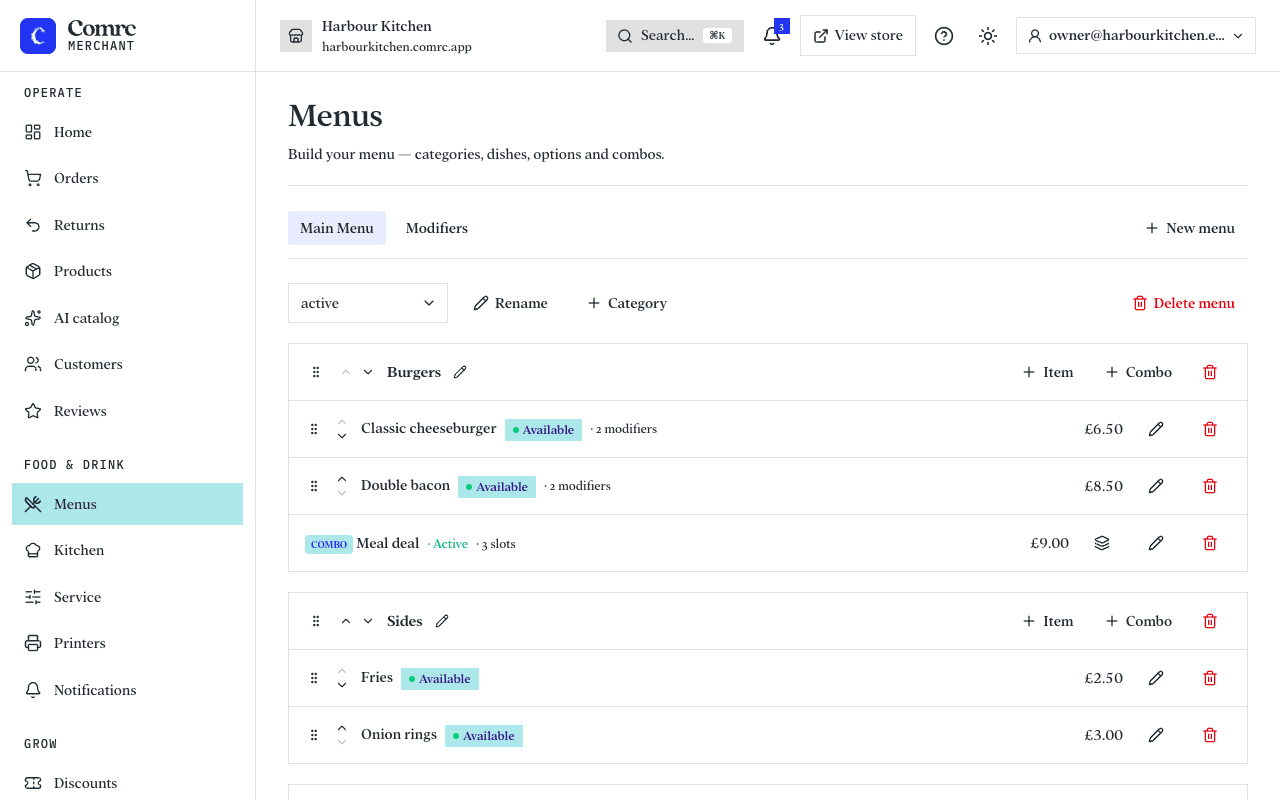
How a menu is organised
- Menus — you can have more than one.
- Categories — the sections of a menu, such as Starters, Mains and Drinks.
- Items — the dishes themselves, each with a price, description and photo.
- Modifiers — choices and extras on an item, such as a size, a choice of side, or extra cheese. A modifier can change the price.
- Combos — items sold together as a set, such as a meal deal.
Allergens
For every item, tick each of the 14 UK allergens it contains — or confirm that it contains none of them. Customers see this before they order.
Until you declare an item's allergens, customers are told to ask you about allergens before ordering it.
You can also add an allergy statement for your store — for example, that dishes are prepared in a kitchen that handles nuts — which customers see alongside your menu.