Getting started
Getting started with Comrc
The first steps from signing up to taking your first order.
When you sign up, Comrc creates your store and signs you in to the merchant console at my.comrc.app. Everything you need to set up and run your store lives there.
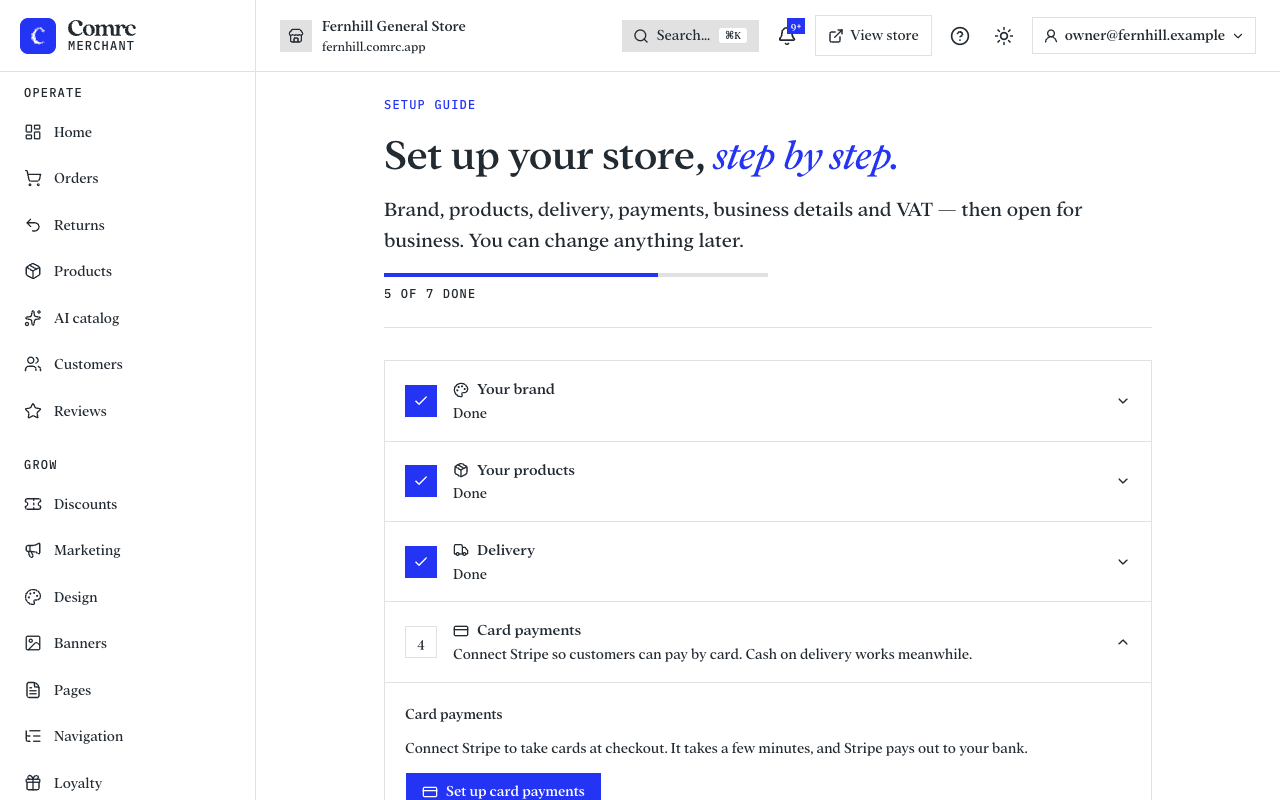
Work through the setup checklist
The console walks you through the essentials. You can do them in any order and change anything later.
- Add your brand: your store name, logo and colours.
- Add what you sell: products for a shop, or a menu for a restaurant or café.
- Set up delivery: the areas you deliver to and what you charge, or collection if you offer it.
- Set up payments: connect Stripe to take card payments, and choose whether to accept cash on delivery or collection.
- Add your business details and VAT settings, so your prices and receipts are right.
- Open for business.
Your store's address
Your store gets its own web address on comrc.app straight away. If you have your own domain, you can connect it later from the console.
Place a test order
Before you tell customers, place an order yourself to check the checkout, the confirmation email and how the order appears in the console.