Products and stock
Adding products
Create products with variants, prices, images and SEO details — or import them in bulk from a CSV.
In the consoleOperate → Products
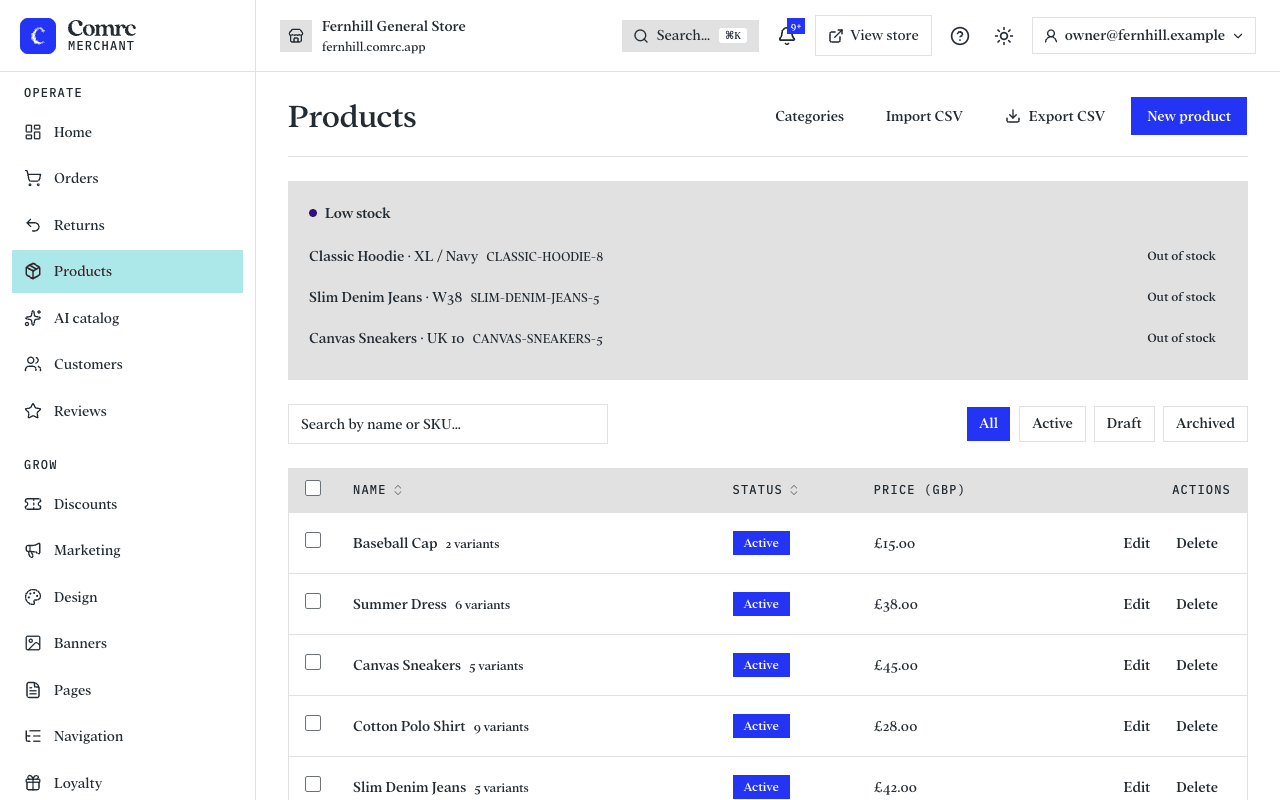
Go to Products in the console and choose to add a product. Give it a name, a description, a price and at least one photo.
Variants and options
If a product comes in more than one version, add options — for example Size (S, M, L) and Colour (Black, White). Comrc builds every combination for you, so those two options give six variants (S / Black, S / White, M / Black and so on).
Each variant can have its own price and SKU. Remove any combination you don't sell.
Prices
- Price — what the customer pays.
- Compare-at price — the original price, if the item is on sale. The storefront shows it struck through next to the sale price. Leave it empty when the item isn't on sale.
- Cost price — what the item costs you. Customers never see it; it's there for your own records.
Weight and dimensions
Add the weight and dimensions of the packed item. They help when you work out delivery costs and book parcels.
Images and alt text
Add alt text to each image: a short description of what the photo shows, such as "Navy wool jumper, front view". It helps customers who use screen readers and helps search engines understand your images.
SEO title, description and tags
The SEO title and description control how the product appears in search results and when a link is shared. If you leave them empty, the product name and description are used. Tags help you group and find products.
Import and export with CSV
To add or update lots of products at once, export your products to a CSV file, edit it in a spreadsheet, and import it back. Exporting first is the easiest way to see the columns Comrc expects.