Customers and marketing
Discount codes and automatic discounts
Create codes for customers to type at checkout, or discounts that apply by themselves.
In the consoleGrow → Discounts
There are two kinds of discount. A code is something the customer types at checkout. An automatic discount applies by itself when the basket qualifies.
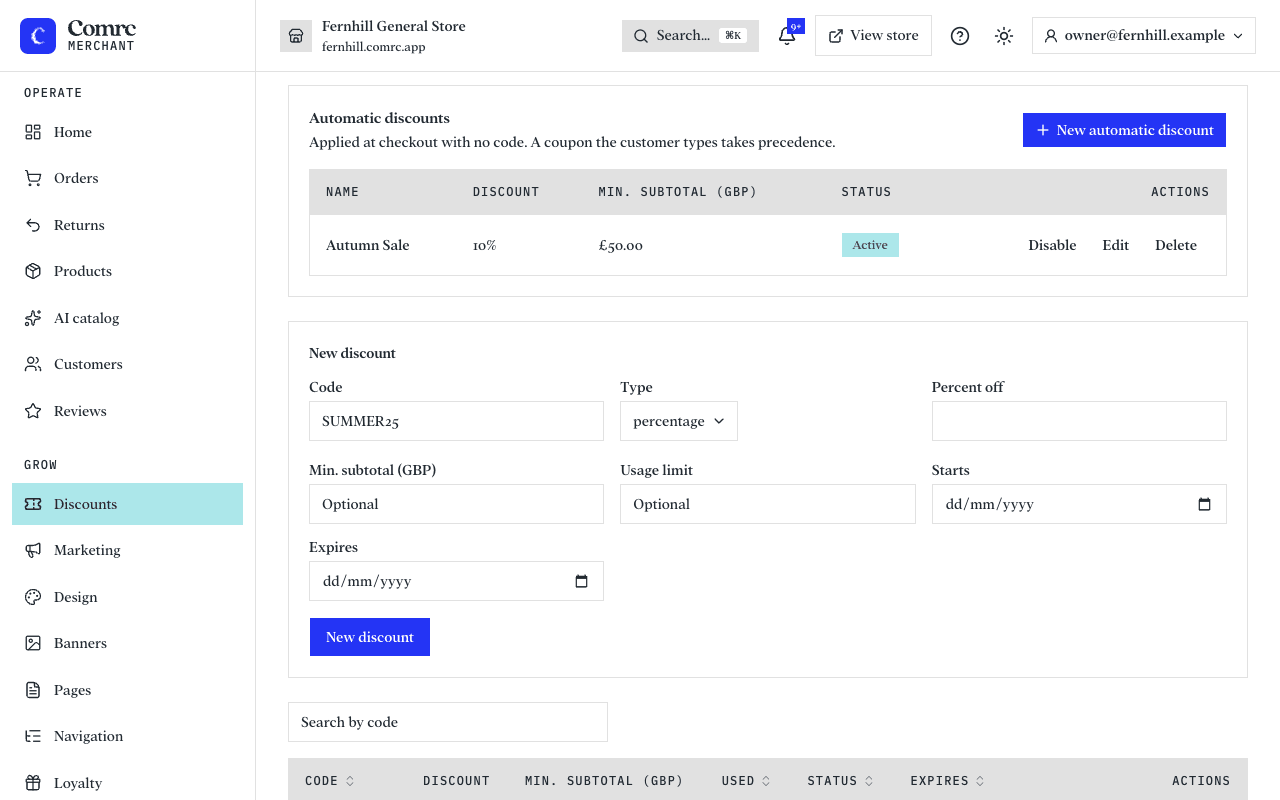
Create a discount code
- Open Discounts and press New discount.
- Choose the code customers will type, such as WELCOME10.
- Choose the type: a percentage off, or a fixed amount off.
- Optionally set a minimum subtotal, a limit on how many times it can be used, and an expiry date.
The list shows how many times each code has been used. Disable a code to stop it working without deleting it.
Automatic discounts
An automatic discount needs no code. Give it a name the customer will see, such as Autumn Sale, a percentage or amount, and optionally a minimum subtotal and start and end dates. While it is live, every basket that qualifies gets it, and the checkout shows it by name.
How discounts combine
- A code and an automatic discount don't add up: a code the customer types takes the place of the automatic discount.
- Discounts come off the goods, never the delivery fee.
- A sale price on a product is separate: set a compare-at price on the product itself and the store shows it as "was" and "now".