Customers and marketing
Rewarding customers with points
Give customers points on every order that they can spend with you, and decide what a point is worth.
In the consoleGrow → Loyalty
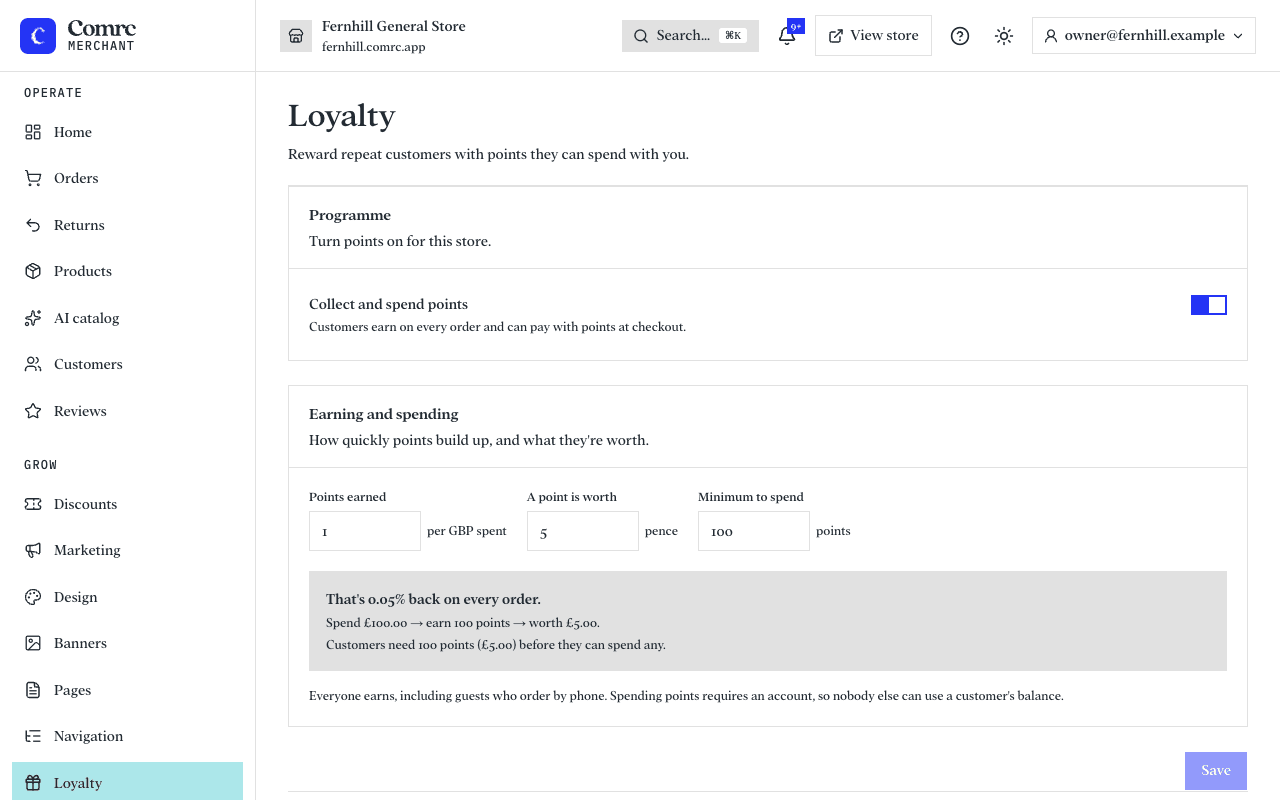
With points switched on, customers earn points on every order and can pay with them at checkout.
Set it up
- Points earned — how many points a customer gets for each pound they spend.
- A point is worth — its value in pence when spent.
- Minimum to spend — how many points a customer needs before they can use any.
The console works out what your settings mean, for example "Spend £20 → earn 20 points → worth £1.00", so you can see the rate you are giving back before you save.
Who earns and who can spend
Everyone earns, including guests. Spending points needs an account, so nobody else can use a customer's balance.
Members
Members lists every customer with points and what the points outstanding would cost you if they were all spent. Open a member to see their history — earned, redeemed, reversed and adjusted — or adjust their balance by hand, with a reason.