Customers and marketing
Customer reviews
Read what customers say about your products, and hide or remove a review that shouldn't be public.
In the consoleOperate → Reviews
Signed-in customers can give a product a rating out of five and write a review. It appears on the product's page as soon as it is posted, and counts towards the product's average rating.
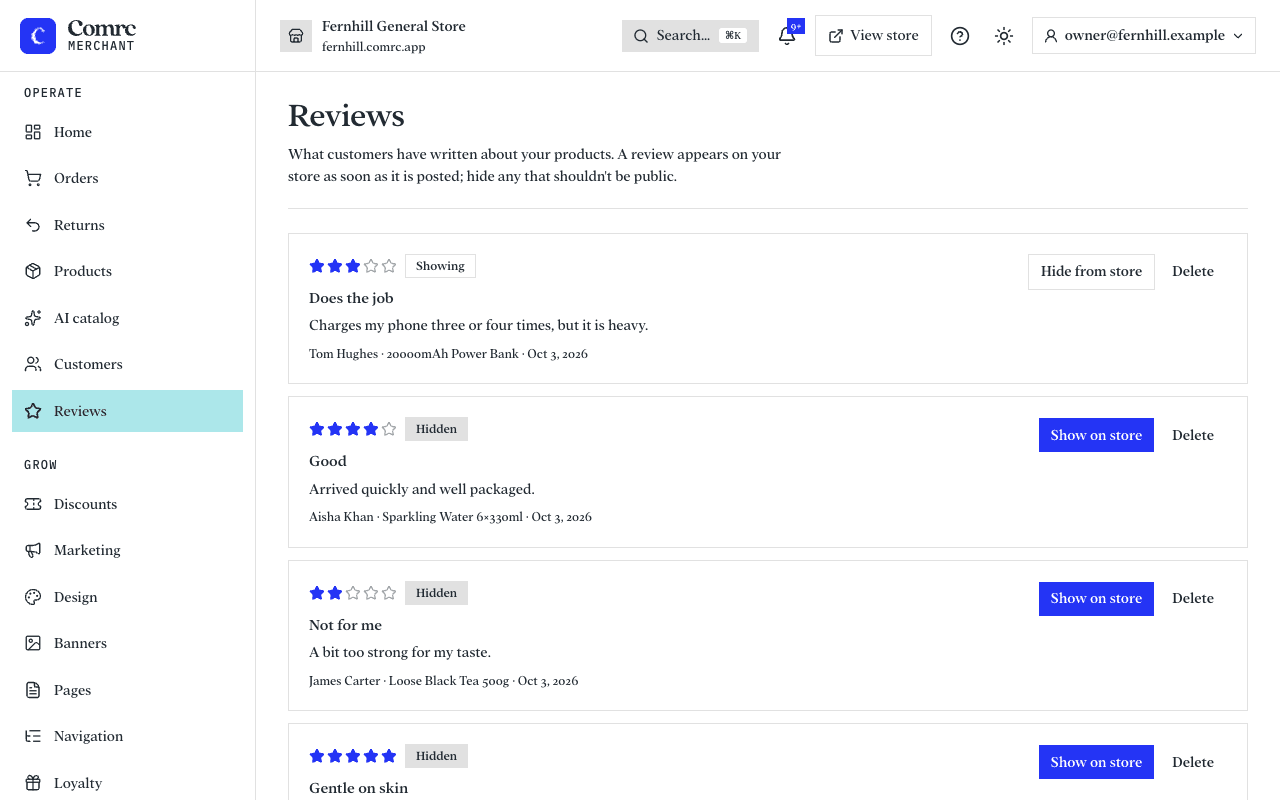
Reading reviews
Reviews lists every review, newest first, with its rating, the customer's name and the product it is about. A review from someone who bought the item is marked Verified purchase.
Hiding and deleting
- Hide from store takes a review off your storefront but keeps it in the console. Press Show on store to bring it back.
- Delete removes it for good.
A hidden review no longer counts towards the product's rating.
Showing reviews on your home page
In Design, add the Reviews section to your home page to show recent reviews there. The section stays hidden until you have reviews to show.